
Exclusive Reader Promo Code: Claim a $5 Bonus
Our exclusive reader promo code was last confirmed active on November 1, 2026. Remaining uses and availability may change. Enter 5READAGA in AGA’s Promo Code tool to claim a $5 bonus, subject to availability.
⭐ Bookmark This Page: We will publish all of our exclusive, active reader promo codes only on this article. Please be aware that this is the only real, verified source for these specific rewards; other websites claiming to offer our AGA promo codes are fake and distribute invalid or expired strings. To avoid errors, do not use promotional codes found on other third-party sites. Because legitimate promotional offers rotate and hit redemption limits quickly, we highly recommend that you bookmark this page and visit regularly to ensure you never miss the latest working AGA codes.
Note on current limits: AGA strictly limits the 5READAGA code to 10 redemptions in total across all users. This number represents the offer’s overall limit, not a live count of remaining claims. Read the app’s direct response after submitting to confirm whether your claim succeeded or if the global redemption limit has passed.
Open Home → Promo Code, enter the code, then tap Redeem. Read the app’s response to confirm whether your claim was successful.
How to redeem an AGA promo code?
Once you have an active code, you must process it through the dedicated in-app tool.
Still setting up the app? Follow the AGA Android installation guide or the AGA iPhone and iPad setup guide, then return here after signing in.
Follow these steps to redeem an AGA promo code:
- Sign in to All Game Arena. Use the app or open AGA in your browser.
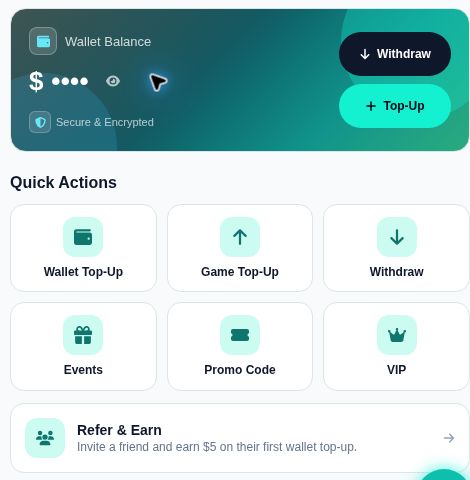
After signing in, open Home. - Open Home, then tap Promo Code. You will find it under Quick Actions.
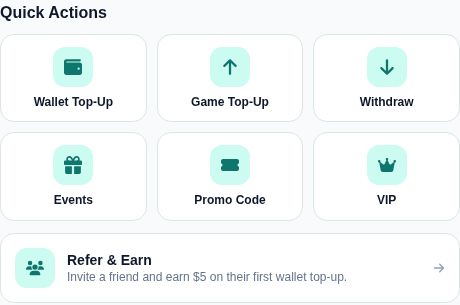
Tap Promo Code under Quick Actions. - Enter the code in the ENTER CODE field. Copy it exactly, without accidental spaces before or after it.
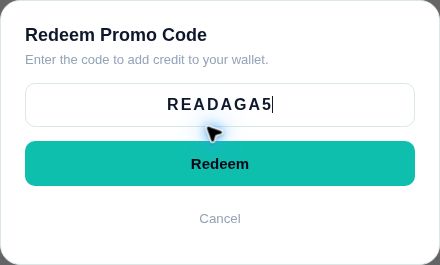
Tap the field and enter READAGA5 exactly. - Tap Redeem. Read the app’s response before trying again.
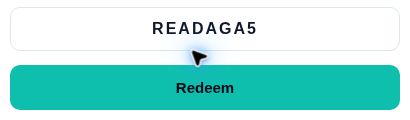
Tap Redeem, then read the app’s response. - Check your wallet and the offer details. Confirm the reward and how it can be used.
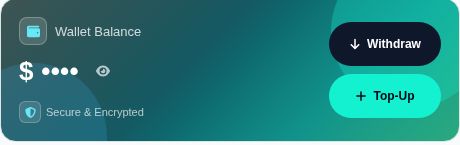
Tap the eye icon to view your balance, then check the offer details.
Important: Always check the original announcement for specific conditions. Finding a copied code or an old screenshot on social media does not guarantee the offer is still active.
Where to find promo codes
Look in AGA’s Announcements area and official AGA notifications. The reader code 5READAGA offers a $5 bonus and is limited to 10 redemptions in total. Availability is confirmed by the result shown in the app.
Code availability and referral rewards are separate. In particular, do not assume that a promo-code reward has the same rules as a referral bonus.
How to Claim the $5 AGA Referral Bonus (Give $5, Get $5)
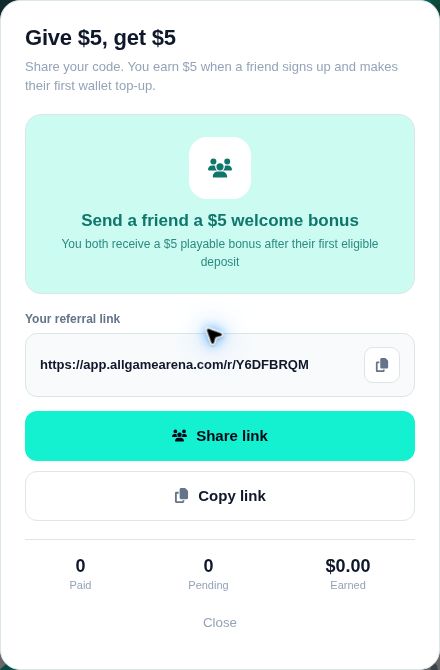
The current Refer & Earn offer is structured as a “Give $5, get $5” promotion. Both players receive a $5 playable bonus, but the platform only triggers the reward after the referred friend’s first eligible deposit.
Here is how to properly execute a referral:
- Open Refer & Earn. Tap the card on Home, or find it in your “Profile” under Rewards.
Tap Refer & Earn below Quick Actions. - Use Copy link or Share link. Send your own referral link to the friend you want to invite.
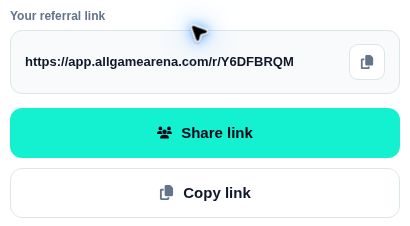
Tap Copy link or Share link to use your own referral link. - Your friend signs up through that link. Sharing a link by itself does not earn a reward.
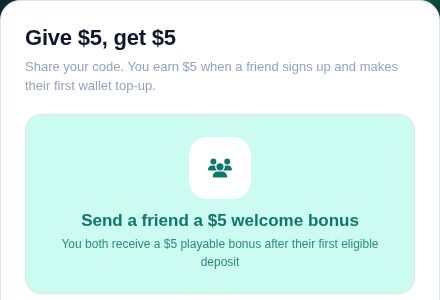
Your friend must sign up through your link and complete an eligible first deposit. - Next, your friend completes their first eligible wallet deposit. Signup alone is not enough.
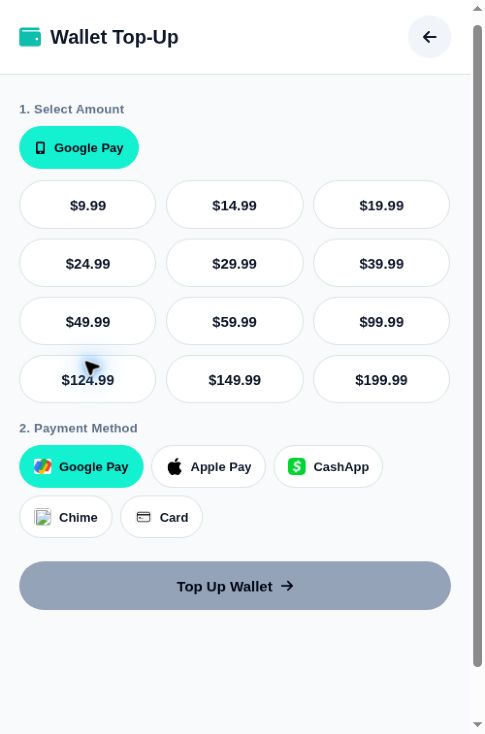
Choose an amount and payment method, then tap Top Up Wallet. - Check both wallets. You and your friend receive the referral bonus as play-only credit once the requirement is met.
Check your wallet after the referral requirements are met.
Note: The $5 amount reflects the offer active as of November 2026. Always check the current conditions displayed in your app before inviting a new user.
Understanding Playable (Play-Only) Credit
Whether you use the AGA promo code or a referral link, you must understand the nature of the reward. AGA issues referral bonuses and promo rewards as playable credit, not cash.
Playable credit (or play-only credit) is designed strictly for gameplay within supported titles. It is not a cash deposit, and it cannot be immediately withdrawn to your bank or Cash App account. If you need clarification on how a specific credit can be used or how subsequent game winnings are handled, contact in-app support rather than assuming every reward follows identical rules.
Troubleshooting: Promo Code or Bonus Missing?
Suppose you expected a reward, but your wallet balance hasn’t updated. In that case, firstly identify which type of reward you are trying to claim, and then follow the relevant checklist.
If AGA Rejects Your Promo Code
- Compare your entry with the original announcement. Remove any accidental spaces at the beginning or end.
- If the app explicitly states the code has expired or reached its redemption limit, do not keep submitting it.
- Check if the offer requires a prior action (like a specific deposit history).
- If the rejection reason is unclear, send in-app support the AGA promo code, the original announcement, and a screenshot of the error message.
If a Referral Reward is Missing
-
Verify the Link: Confirm with your friend that they actually used your specific referral link when creating their account.
-
Verify the Deposit: Ask your friend if their first eligible wallet deposit has fully completed and cleared.
-
Check for Playable Credit: Ensure you are looking for playable credit in your wallet interface, not a directly withdrawable cash balance.
-
Request a Review: If all requirements are met but the reward is still missing, ask support to review your referral history.
How to get help: Start with AGA’s in-app chat. An AI assistant will typically answer first and route the conversation to human staff when necessary. If you cannot access the app, use the official AGA contact page. Security reminder: Never include your password or payment card numbers in a support message.
Frequently Asked Questions
Is a referral code the same as a promo code?
No. A referral link connects a new signup to the existing user who invited them to trigger a mutual bonus. Conversely, a promo code is a specific promotional word or phrase a user enters into the Promo Code tool to claim a platform-wide marketing offer.
Do both players receive the referral bonus?
Yes. Under the current “Give $5, Get $5” offer, both the inviting player and the new friend receive a $5 playable bonus after the new friend completes their first eligible wallet deposit.
Can I add a referral after signing up?
You should always use the referral link during the initial signup process. If you already registered without using a link, you must ask in-app support what options, if any, remain available for your specific account.
Where can I find working AGA promo codes?
We periodically release working promotional codes on this page. Because we only publish our active reader codes here, you should bookmark this article and check back regularly to claim new bonuses before they reach their redemption limits.
Is READAGA5 ready to redeem?
The READAGA5 code was last confirmed active for a $5 bonus on November 1, 2026, with a total platform limit of 10 redemptions. Remaining uses and availability may change. Because live claims constantly update, you must enter it in the app and read the on-screen response to see if redemptions remain available.
Conclusion
Maximizing your bankroll on All Game Arena is simple when you understand the strict operational differences between standard marketing promo codes and mutual Refer & Earn bonuses. By following the step-by-step redemption processes outlined above, you can confidently secure your playable credits without relying on untrustworthy third-party coupon sites. Remember to bookmark this page and check back regularly, as we will continually update this guide with the newest exclusive AGA promo codes the moment they become available.